
The Companies House ‘Follow this company’ feature is a useful tool for monitoring both other companies and your own. In this post, we will explore what it means to follow a company, the benefits of doing so, and how to start following a company.
What is the Companies House ‘Follow’ service?
By following a company, you will receive email notifications whenever Companies House processes a document related to that company.
This includes updates such as new director appointments or resignations, changes to the registered office address, or even company dissolutions. The service is free, and you can follow as many companies as you wish.
Why use the Companies House ‘Follow this company’ service?
Throughout your business’s lifecycle, you may encounter various companies that could directly impact your own. These might include:
- Competitors
- Suppliers
- Partners
- Customers
By following companies in these categories, you can quickly respond if significant changes or developments occur with them.
Example 1
A major competitor files a DS01 meaning it intends to close down. You can prepare a marketing campaign to win over their customers.
Example 2
If a key partner files a TM01 indicating that your contact is leaving the company as a director, you can reach out to the company to understand how this change might affect your relationship.
The Companies House Default Address – Your Questions Answered A Guide to Uploading Documents to Companies House
In addition to following other companies, you should also follow your own. This not only provides insight into how other businesses may perceive you but also serves as a useful security measure. It enables you to respond swiftly if any fraudulent filings are made for your company, helping to prevent serious damage.
How to follow a company
First, you need to have a Companies House WebFiling account. If you don’t have one yet, you can set it up here. Then:
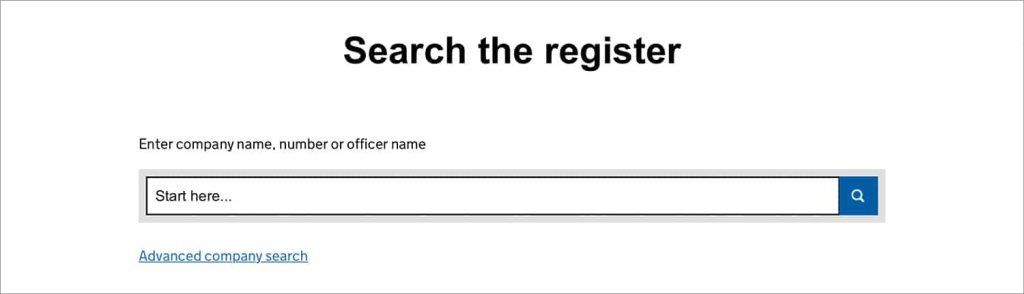
- Visit the Companies House online ‘Search the register’ tool and enter the name of the company you wish to follow.
2. You will be presented with a list of companies. Click on the correct company name.

3. Click the green ‘Follow this company’ button.

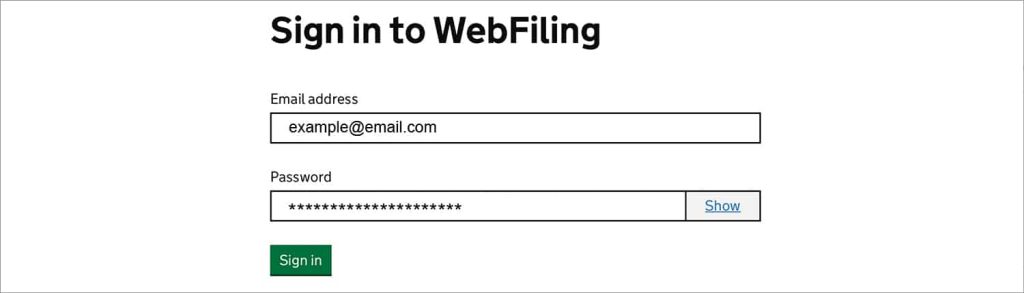
5. Confirm that you want to follow the company.
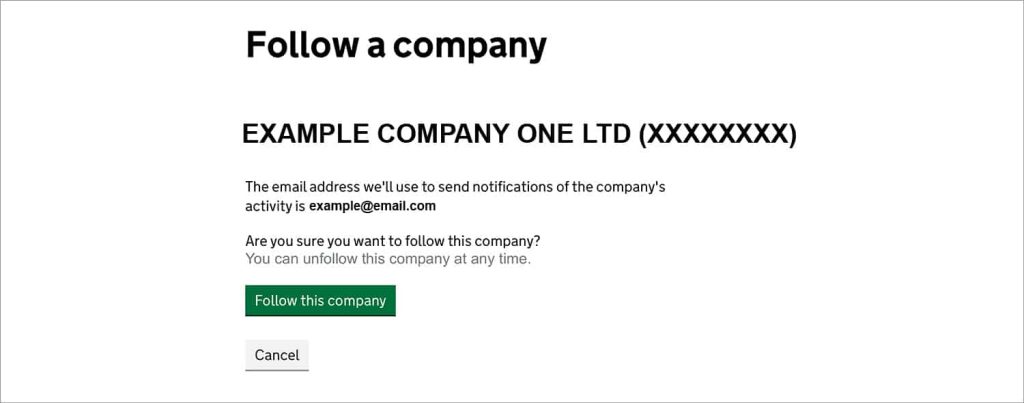
It’s that simple.
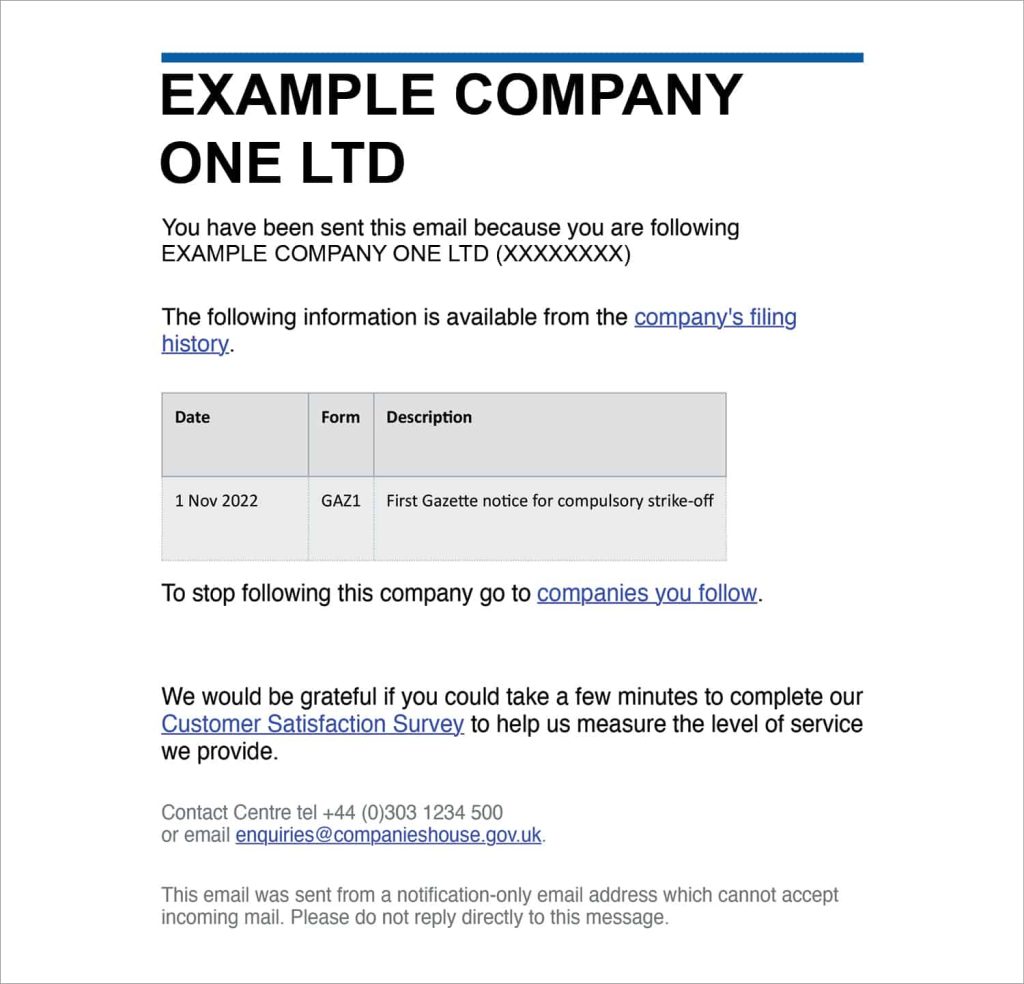
Once you’ve set up the follow, whenever something is filed with Companies House related to that company. The email will include the company’s name, a description of the filing, and a link to view the document in full.
To unfollow a company
If a company is no longer of interest to you, you can unfollow it. To do this:
- Go to the ‘Search the register’ tool and enter the name of the company you are following.
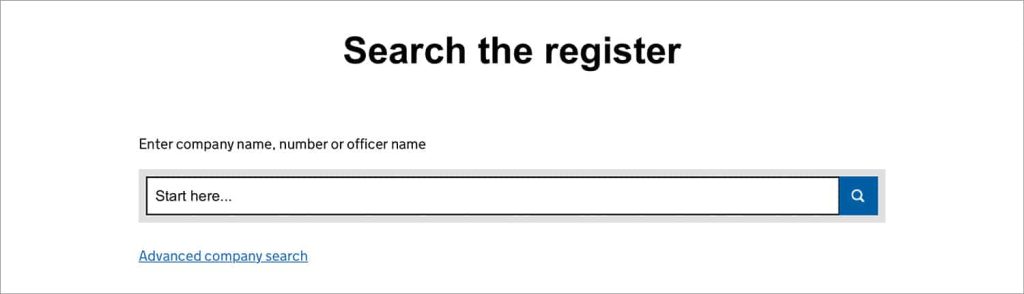
2. Click on the correct company name.

3. Select ‘Sign in / Register’ and proceed to sign in.

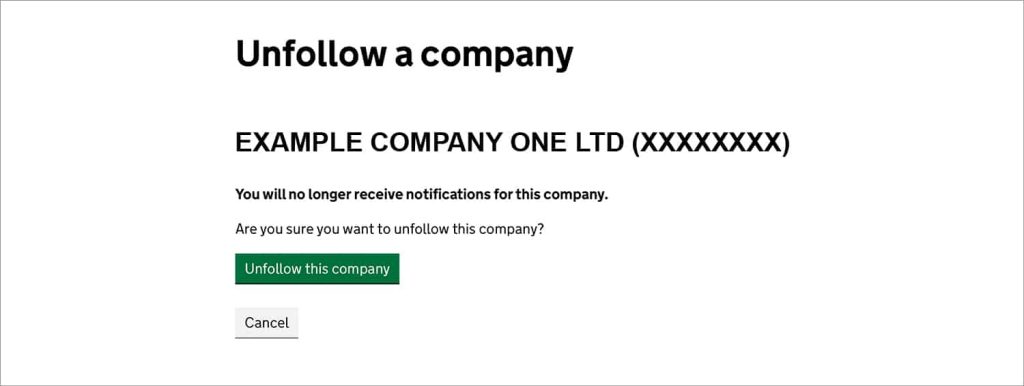
4. The ‘Follow this company’ button will automatically change to ‘Unfollow this company’, click this.

5. Confirm that you want to unfollow the company.
Is the ‘Follow’ function anonymous?
Yes, no one is notified when you choose to follow a company. It’s between you and Companies House.
There you have it, the Companies House ‘Follow this company’ tool explained
As you can see, following (and unfollowing) a company is quick and straightforward, making it a valuable tool for efficient business management and fraud prevention.
We hope you found this post helpful. Please leave a comment if you have any questions.

Companies House Identity Verification for Directors (UK & Overseas)

A guide to annual accounts

The confirmation statement explained

Do I need to tell Companies House when I move house?

Deadline for filing company accounts – 30 September

Late confirmation statement? Here’s what to do…

The limited company dates that you need to know about

I’ve forgotten my company’s SIC code