 Company Filings
In 2020, Companies House launched the ‘Upload a document’ tool, streamlining the process for business owners and their representatives to digitally submit required documents instead of relying on physical mail.
Here, we offer a detailed walkthrough on how to use the Companies House upload feature and address any queries you may have regarding its functionality. Let’s begin.
What sort of documents can I upload to Companies House?
There is no overlap between Companies House WebFiling and the ‘Upload a document to Companies House’ function. If a document can be submitted online via WebFiling, it cannot be uploaded using the new tool, and vice versa.
Certain circumstances still require physical submission, such as requests involving sensitive words in company names or matters concerning community interest companies (CICs).
Documents eligible for upload fall into five distinct categories, each encompassing various forms relating to:
- Share capital
- Registrar’s powers
- Change of constitution
- Scottish limited partnership
- Scottish qualifying partnership
What do I need before uploading a document?
To successfully upload a document, ensure you have the following prepared:
- Company registration number
- Companies House account details (distinct from WebFiling; register if needed)
- Completed digital form in PDF format (under 4MB)
- Company authentication code (required for some documents)
- Online payment method (for applicable documents)
- Supporting evidence (for applicable documents)
How to upload a document to Companies House
Once you have gathered the required information, as outlined above:
- Access the upload tool by signing in to your Companies House account.
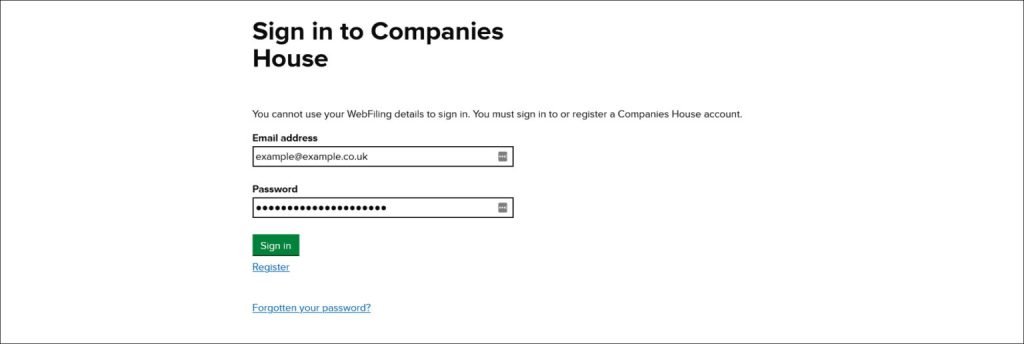
2. Enter your company’s registration number and select ‘Continue’

3.Verify that you have selected the correct company and click on ‘Confirm’. If the wrong company is displayed, choose ‘Back’ and re-enter the correct company registration number.

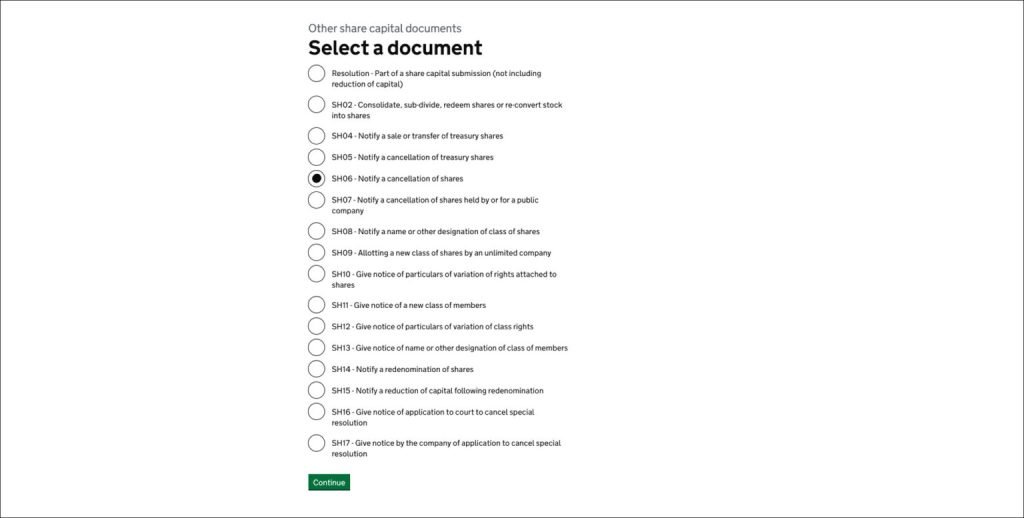
4. Click on the category of the document that you want to upload and select ‘Continue’

5. Choose the type of document that you are uploading and select ‘Continue’

6. Click on the specific document that you are uploading and select ‘Continue’
7. Enter your company’s authentication code and select ‘Authenticate’

8. Select ‘Browse’ and locate the document that you want to upload, then select ‘Open’, then choose ‘Continue’ (as mentioned, the document must be a PDF that is smaller than 4MB)

9. Check that you have uploaded the correct document and select ‘Continue’ (or ‘Remove’ if the wrong document has been uploaded)

10. Check that the document type and uploaded document are correct, and select ‘Submit document’ (if there is a problem select ‘Change’)

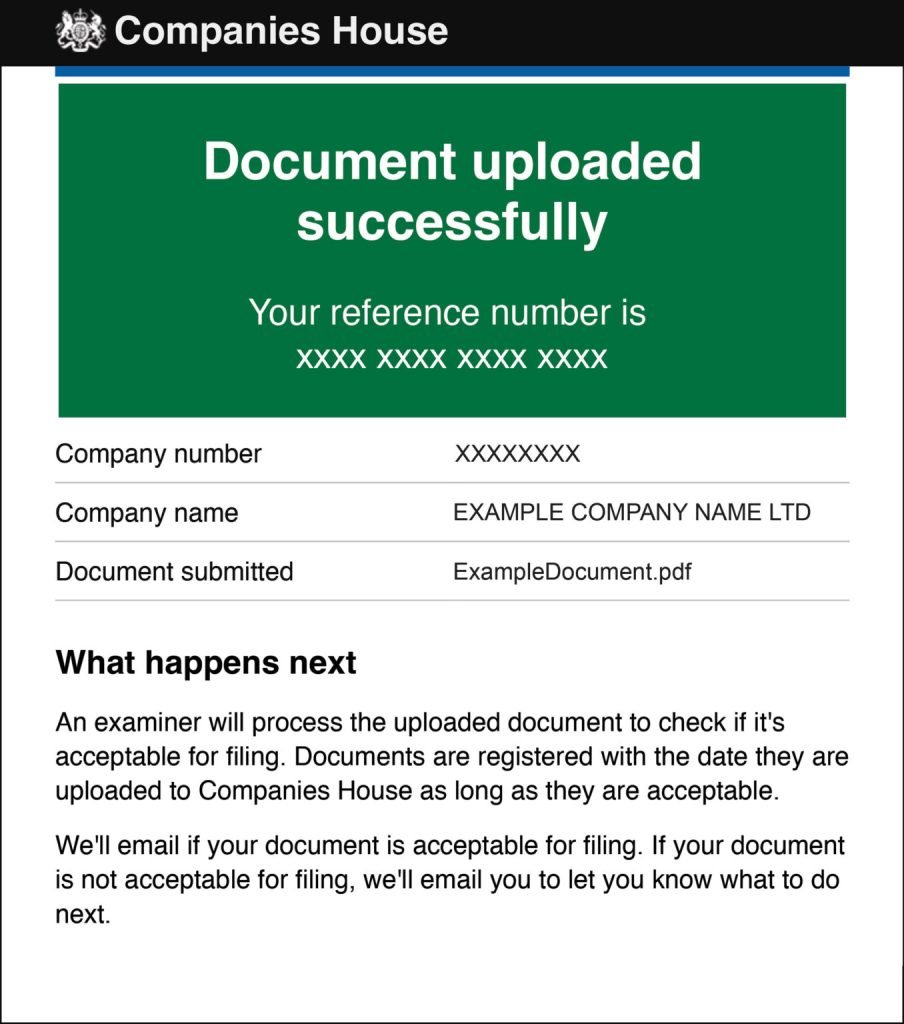
11. You will immediately receive an email to confirm that the document has been successfully uploaded and that it will be checked by an ‘examiner’
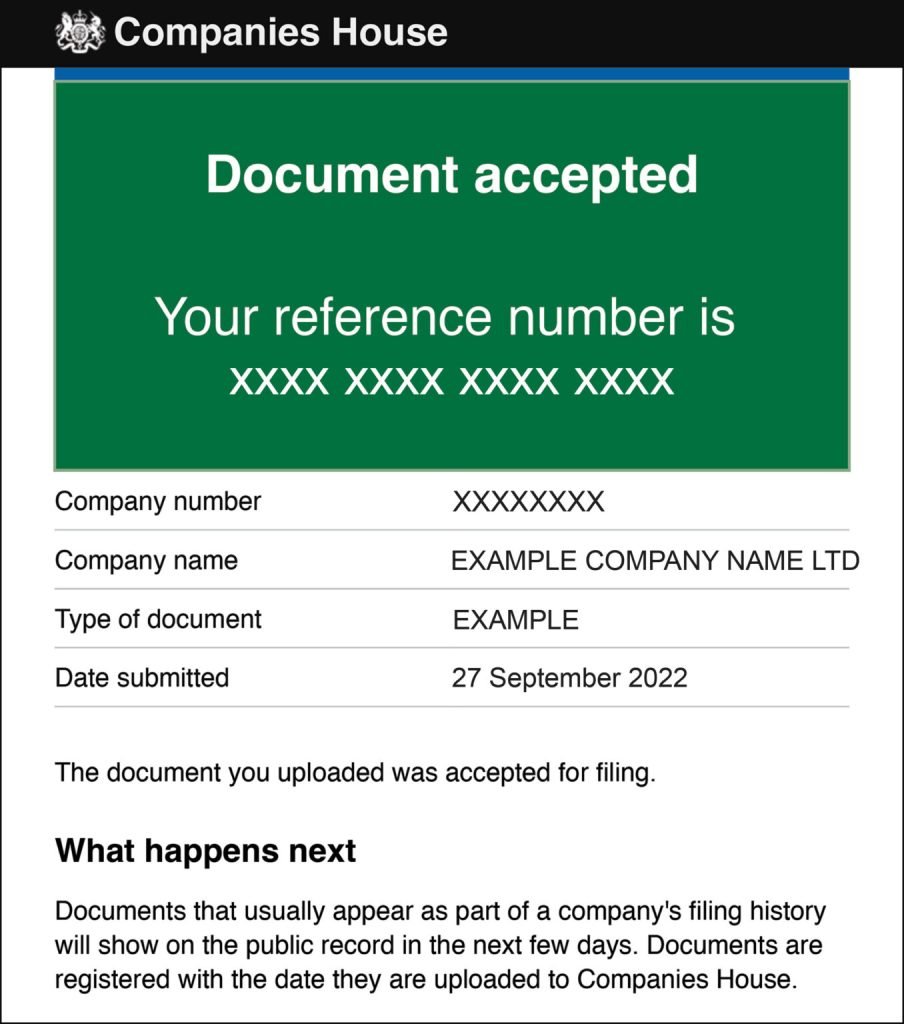
12. Generally, within a week you will receive an email confirmation that the document has been accepted or rejected, however, it can take longer. If the document is rejected, you will receive further instructions on how to fix the issue
How many documents can I upload at a time?
The tool permits uploading only one type of document at a time. If you have multiple associated documents to upload, you will have the option to upload the next document after submitting the first one. It’s important to do this promptly after each upload to avoid potential rejection by Companies House. You may need to repeat this process several times if multiple document types are necessary.
Can Companies House assist me in completing the form?
Usually, no. As illustrated, the tool is highly efficient for promptly and easily submitting documents to Companies House. However, it does not offer assistance in completing the uploaded document. While Companies House may provide general guidance, they do not provide detailed assistance.
If you need help completing a document, we advise seeking professional advice. For more support, consider our Full Company Secretary Service, available for £149.99 annually.
How do I get the form ready for upload?
You can complete the form you intend to upload either online or using a paper format. Explore and download Companies House forms here.
To prepare the document online:
- Complete the form by typing directly onto it
- Sign the form with a ‘digitally generated’ signature or a signature that is ‘typed directly into the form’
- Save the document to the device that you will be using for the upload task
To prepare the document via the paper form:
- Print the relevant form
- Complete the form using black ink
- Sign the form
- Scan and save the document to the device that you will be using for the upload task
About our Full Company Secretary Service
Our team of experts ensures that your company’s documents are accurately filed and promptly delivered to Companies House. For just £149.99 per year, you will receive:
- Handling of up to ten company changes annually, ensuring compliance with regulations for each change.
- Designated company secretary to publicly demonstrate your company’s commitment to compliance.
- Dedicated account manager for all company-related inquiries.
- Maintenance of your five company registers.
- Filing of your company’s confirmation statement.
Thank you for reading
You should now be well-equipped to upload documents to Companies House. Feel free to leave a comment if you have any questions about this process, limited companies, or company formations, and we’ll gladly assist you!

Companies House Identity Verification for Directors (UK & Overseas)

A guide to annual accounts

The confirmation statement explained

Do I need to tell Companies House when I move house?

Deadline for filing company accounts – 30 September

Late confirmation statement? Here’s what to do…

The limited company dates that you need to know about

I’ve forgotten my company’s SIC code